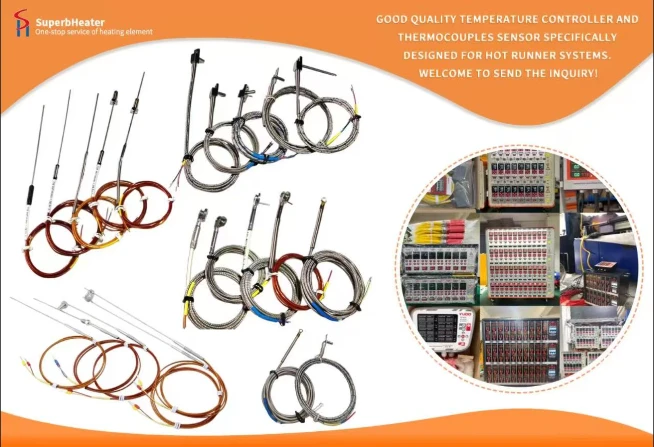
Modern manufacturing operations require real-time process data for quality control, productivity optimization, and regulatory compliance. Thermocouple data integration with production monitoring systems (MES, SCADA, and IoT platforms) transforms temperature readings from simple control inputs into valuable process intelligence.
Integration Architecture
Thermocouple integration begins with data acquisition at the temperature controller level. Modern controllers feature communication interfaces-Ethernet/IP, Profibus, Modbus TCP, or analog 4-20mA outputs. These interfaces transmit temperature data to higher-level systems. Data acquisition units aggregate data from multiple controllers, formatting it for enterprise systems. Integration software maps thermocouple data to specific machine, mold, zone, and cavity identifiers.
Data Types and Frequency
Temperature data from thermocouples includes real-time values (instantaneous readings), setpoints (target temperatures), deviation (actual minus setpoint), and alarm status (overtemperature, undertemperature, sensor failure). Data frequency depends on application requirements-medical and automotive applications may require readings every 100ms, while packaging may accept 1-second intervals. Process history storage enables trend analysis and root cause investigation.
Real-Time Monitoring Dashboards
Visualizing thermocouple data on dashboards provides operators with immediate awareness of temperature conditions. Color-coded displays highlight zones approaching alarm thresholds. Temperature trend charts show variation over time. Cavity temperature comparisons reveal imbalances. Alarms alert operators to conditions needing attention. Customizable dashboards serve different roles-production supervision, maintenance, and quality assurance.
Data Correlation with Part Quality
Thermocouple data becomes most valuable when correlated with part quality measurements. Record temperature data during each injection cycle and link to quality inspection results. Relating temperature variations to dimensional deviations identifies critical temperature thresholds. Over time, prediction models correlate thermocouple data with quality outcomes.
Statistical Process Control
Statistical process control uses thermocouple data to detect process shifts. Control charts display temperature data with upper and lower control limits. Sustained trends indicate a changing process condition. When thermocouple data shows a trend toward a control limit, operators can intervene before quality is affected. Cpk calculations quantify process capability.
Alarm and Notification Systems
Integration enables alarm management that ensures timely response. Threshold alarms trigger when temperatures exceed acceptable ranges-individual zone alarms, zone group average alarms, and rate-of-change alarms all provide diagnostics. Escalation procedures for different alarm severities ensure appropriate response. Text message or email notifications alert designated personnel for critical alarms.
Traceability and Compliance Documentation
For regulated industries, integrated data provides traceability. Medical device manufacturers use thermocouple data as part of device history records. Aerospace and automotive suppliers maintain process parameter logs for quality auditing. Digital data eliminates manual recording errors.
Predictive Maintenance
Thermocouple data analysis can predict sensor failure before it occurs. Drift patterns over time identify thermocouples approaching end-of-life. Insulation degradation detected through noise analysis indicates impending failure. Remote monitoring reduces maintenance costs by identifying problems early.
Implementation Roadmap
Start with a pilot integration on a single machine to verify interface compatibility and data reliability. Establish data validation checks to identify erroneous readings. Develop monitoring dashboards for operator use. Train users on interpretation and response. Expand to additional machines after the pilot proves successful.